
Media
A central place for everything you've uploaded or generated documents, images, and videos
The Media page is your personal library inside Kumari AI. Every file you upload and every piece of content generated during your conversations is automatically stored here so you can find, preview, and reuse it later.
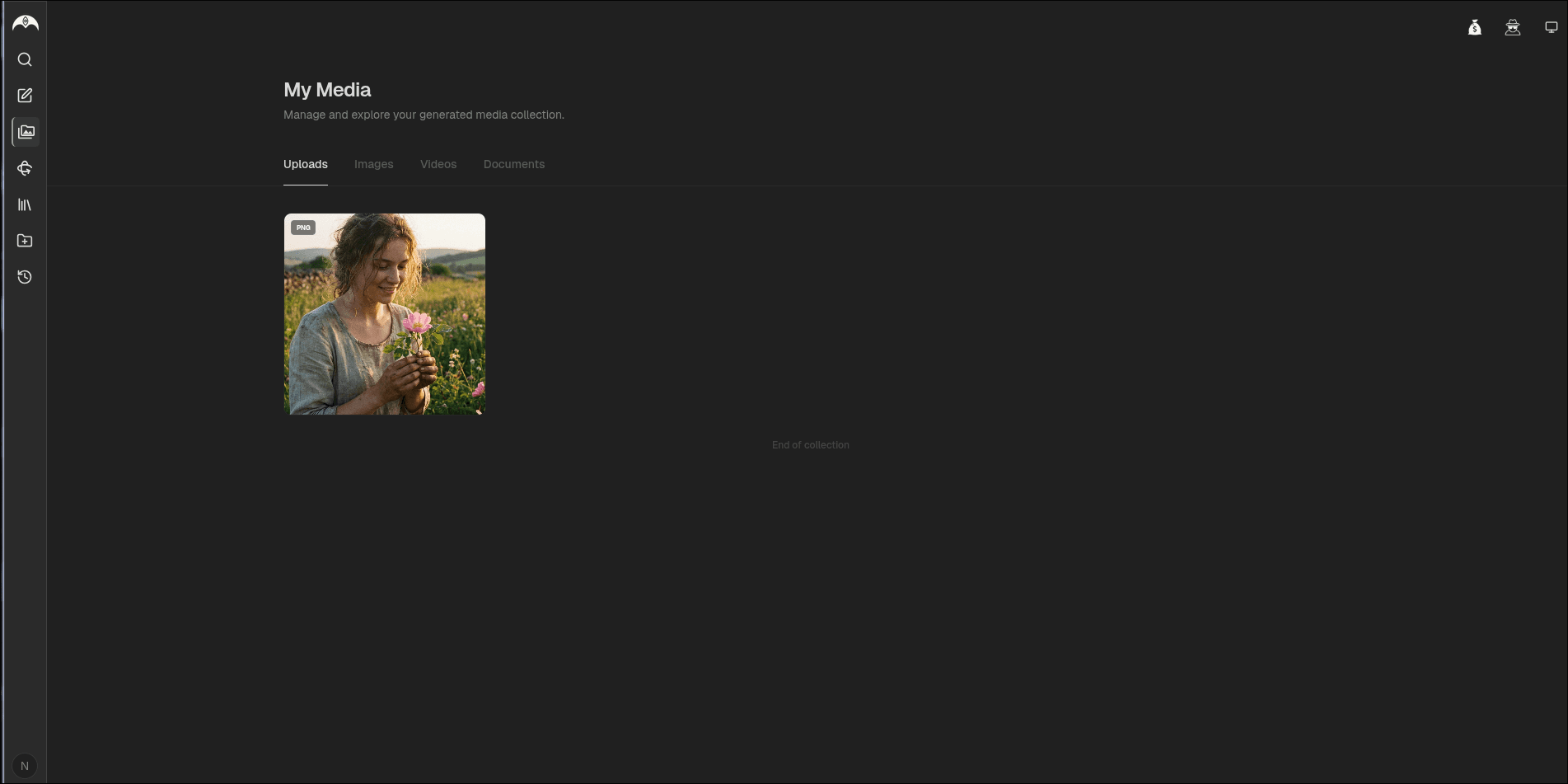
What's Stored in Media
| Type | Examples |
|---|---|
| Documents | PDFs, Word files, text files you've uploaded or exported |
| Images | Images you've uploaded or AI-generated images from conversations |
| Videos | Video files you've uploaded or generated |
Everything is organized by date and tagged by the conversation it came from.
Uploading Files
You can upload files directly from the chat input just click the attachment icon or drag and drop. Uploaded files appear immediately in your Media library and are available for any future conversation.
Browsing Your Media
Open the Media page
Click Media in the sidebar navigation.
Filter by type
Use the tabs at the top to filter by Documents, Images, or Videos.
Preview or download
Click any item to preview it in full. Use the download button to save a copy locally.
Using Media in Conversations
You can pull files from your Media library directly into a new conversation without re-uploading. Click the attachment icon in the chat input and select From Media Library.
Storage
Media storage is tied to your plan. You can view your current usage in Account Settings.